

Everything you need to share, distribute and track digital resources
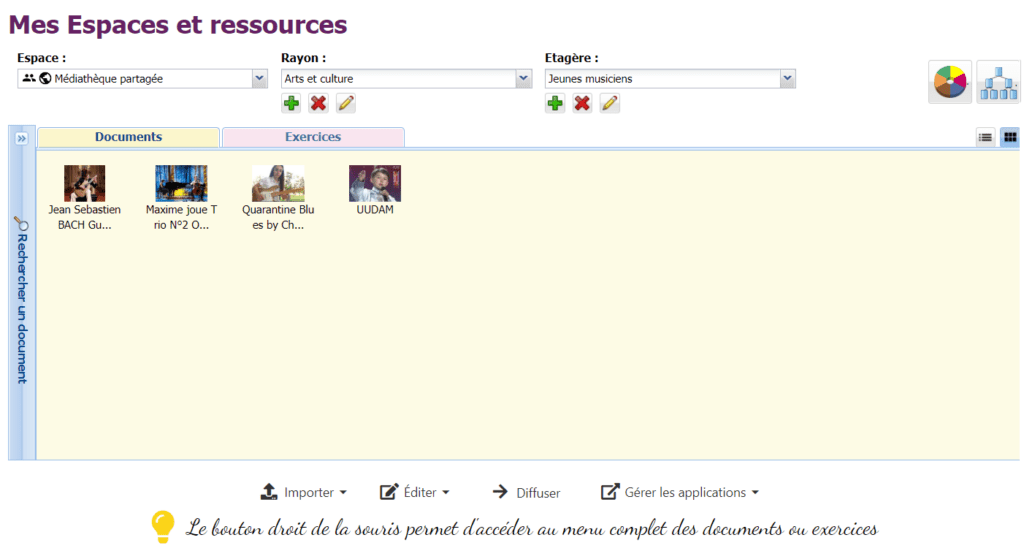
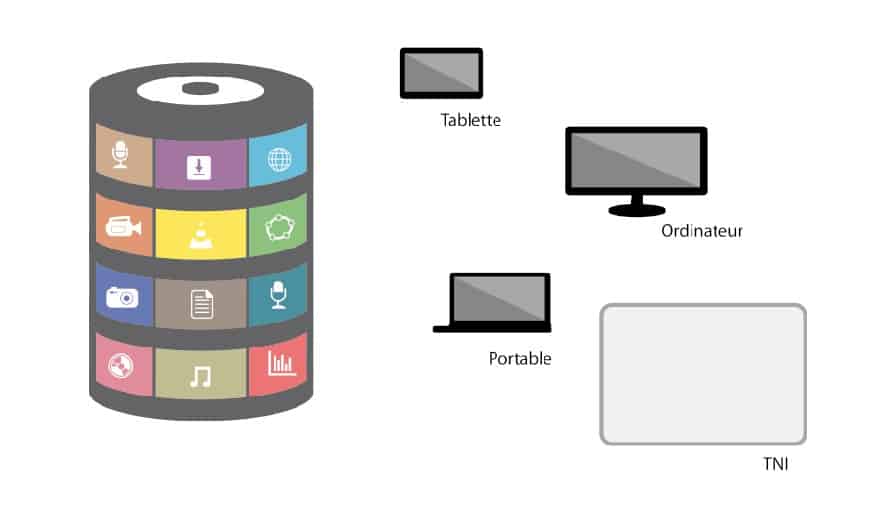
For teachers and students, the Wizzbe Digital Media Library is like a digital school library: multimedia resources are centralised, shared and secure.
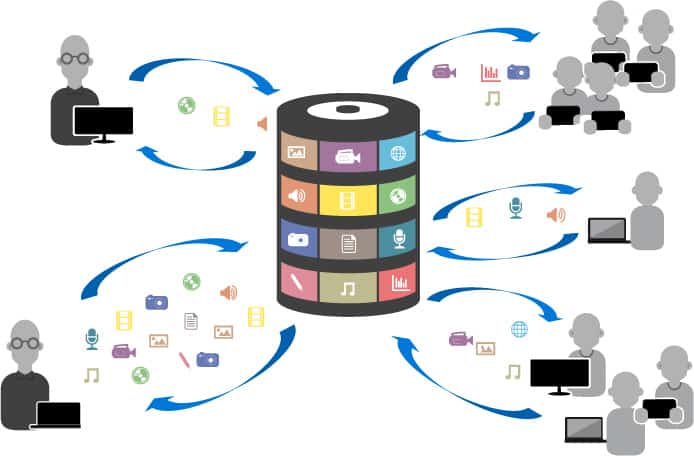
From uploading a resource to handing in work
From a tablet or a computer, the teacher uploads, distributes and collects; students find everything in their own space.
- 1
Upload
The teacher uploads their resources to their space in the Media Library: audio, video, photos, apps, textbooks, texts, exercises…
- 2
Distribute
They share them with their students for as long as they choose: an hour, a day, a week, the school year…
- 3
Work
On the tablet or PC, students access the resources, read textbooks, do exercises…
- 4
Collect
When they have finished, the teacher automatically collects their work and marks it at their own pace.
Teach with complete peace of mind, and save time
Resource sharing runs smoothly: no risk of slowdowns or dropouts, and lessons can go ahead with or without internet, with or without Wi‑Fi.
Distribute all your content
Your own resources (videos, reports, texts, photos, animations, programmes…) or those provided by your colleagues, publishers, Canopé, the regional education authority…

For as long as you choose
The lesson, a week, the year… At the end of the period, resources are automatically removed from the student space.
Differentiated teaching
You choose the recipients: a class, a group or an individual student.
Prepare lessons anywhere
From any computer in the school, or from home.
Work collected and assessed
Students’ work reaches you automatically; you assess it with the built-in assessment module.
Progress indicators
Progress, time spent on an exercise… to follow each student’s work.
Supervision during lessons
Restrict access to your subject’s resources only, for the duration of the lesson.
Protected content
Your content is secure and cannot be copied or shared without permission.
Simplified interfaces
Direct upload to your space, a built-in editor to create rich text, a custom image for each resource.
Exercises ready in seconds
A practical, easy-to-use activity creator to offer students a wide range of exercises, based on any type of material.
Written commentary
Based on an image, a text, an audio file, a video…
Oral commentary
On an image, a text, an audio file, a video…
Active comparative recording
For language learning.
Speaking practice
Reciting a poem…
Audio and written commentary
On a film, a photo…
Graphic exercise
Placing points on an image, colouring in, commenting on a graph…
Office document
Work directly on an office document.
Web page
Exercises on a website, guided research with restricted browsing…
Apps
Activities based on the apps installed on the tablet.
Diagram
Logic lessons, introduction to programming…
Photo capture
Science experiments, art, PE sessions…
Video
Science experiments, movements in sport…
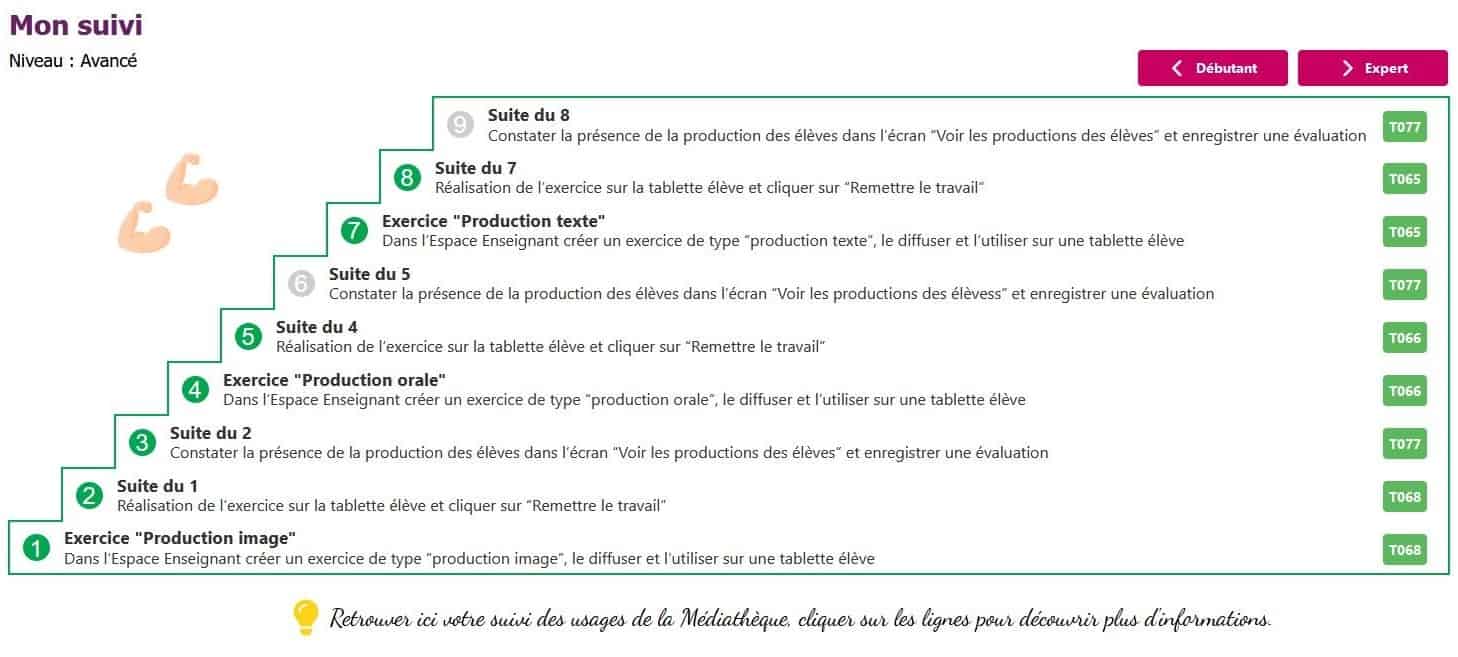
A coach to develop your digital practice
- Step-by-step pathways to build your digital skills
- At each step, a detailed tutorial to learn a new digital practice
- Progress at your own pace and according to your needs
A personal space, on every device
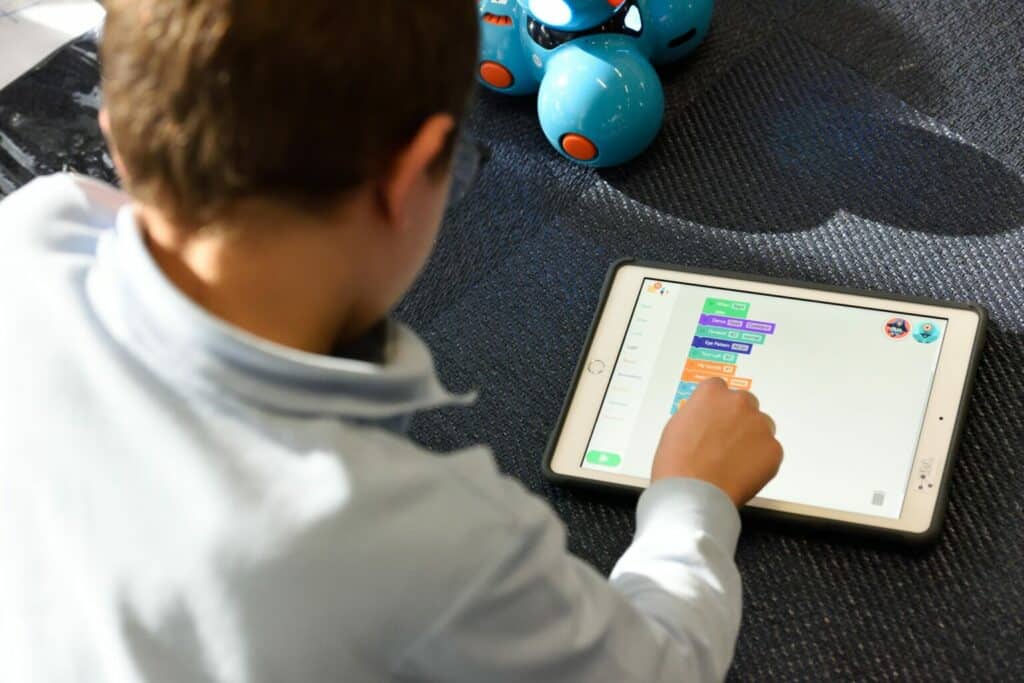
In their space, on the tablet or PC, students find everything their teachers have made available to them.
The same environment everywhere
Tablet or PC, Android, Windows or Apple: students find their own environment and content.
Start here, finish there
Work started on a tablet can be continued on a computer, for example at the back of the classroom.
One-click sending
Students send their work directly to the teacher.
Even offline
Textbooks, apps, media, exercises and files remain usable offline.
Favourites
Students keep documents from the Media Library space (self-service) to consult whenever they like.
BYOD
If the school allows it, students can even use their own devices.
Dedicated administration features
The digital lead has tools to manage devices and better support the teachers in their school.
Collaborative spaces
Creation of collaborative spaces, contextual groups…
Device management
Android and Windows tablets, computers, laptops: they define the settings applied to devices.
Student lists
Import student lists or connect to the education authority directory.
Apps
Install, uninstall and update apps or app bundles, without re-entering the administrator code each time.
Permanent resources
Make an app or a resource always available on some or all tablets.
Usage indicators
Identify the most frequent uses and those to develop through training.
Manage every school from your desk
The centralised administration portal gives an overview of devices and usage, without having to travel.
Centralised administration
See every school and every device from your desk, and step in when needed without travelling.
Multi-OS device management
Wizzbe supervises all fixed and mobile hardware, whatever its operating system.
Multi-school
All the local authority’s schools are managed from a single administration portal.
Operational indicators
By location: school, room, mobile classroom… to better support users.
Resource subscriptions
Management of schools’ subscriptions for receiving digital resources.
Textbooks deployed quickly
With distribution media libraries, textbooks are available within 48 hours on devices authorised by the local authority.
- Individual mobile devices (1:1)
- Shared school devices
- Students’ personal devices (BYOD)
An architecture designed for schools
Fast, secure and flexible, Wizzbe technology adapts to your devices and your internet connection.
Automatic synchronisation
Tablets synchronise automatically with the Media Library; content loads seamlessly for the student.
Lag-free multimedia
No risk of dropouts or slowdowns, even when several students are watching a video at the same time.
Offline mode
Apps work offline: activities carry on even if the internet or Wi‑Fi goes down.
Flexible installation
On a hypervisor, a server, a computer or in the cloud, with a hybrid implementation possible depending on bandwidth.
Connected to your existing systems
Data connectors allow interaction with other solutions: virtual learning environments (ENT), document and exercise banks…
Secure data
Data is centralised on the school’s Media Library: no risk of loss or accidental deletion.
- Android tablets
- Windows tablets
- iPad
- Windows PCs
- Chromebook
- Interactive whiteboards
Very easy to set up
The annual upgrade gives access to all technical and functional updates to the version during the year.
Want to go further with Wizzbe?
Tutorials, FAQs, on-site or remote support: the Wizzbe team helps you at every stage of your project.