In classUse cases

Real-life uses, from nursery to secondary school

Speaking, exercises, videos, drawing, class projects: activities carried out with Wizzbe and described in the use-case sheets on the Wizzbe blog (in French), each with its level, duration, equipment and what students and teachers gain from it.

Year 10SpanishUse-case sheet

Describing a painting by Goya

The image of the painting is uploaded to the Media Library. Each student describes it orally while recording themselves, then sends it in once they are happy with it.

  • 15 min
  • 1 tablet per student
  • Audio recording

Students like practising speaking without being heard by their classmates. Read the sheet (FR)

Sent to the teacherwith a single tap
Ready in 2 minutesjust upload the image
  • 35use-case sheets published on the Wizzbe blog (in French)
  • Ages 4 → 15from Reception to Year 10
  • 10subjects, from languages to science
  • 2 min to 1 hshort activities or full lessons
Speaking

Getting every student talking

With audio or video recording, each student practises, listens back and only sends in their work once they are happy with it.

Year 10English

The Eiffel Tower

Students describe a photo of the Eiffel Tower orally, record their commentary and send it to the teacher when they have finished.

  • 15 min
  • 1 tablet per student

Students likePractising speaking on their own and re-recording any part they are not happy with.

Read the sheet (FR)
Year 5Poetry

Reciting “Le poète” by René Guy Cadou

In pairs, students take turns filming each other reciting the poem learnt at home. Three videos drawn at random are then watched in class.

  • 20 min + debrief
  • 1 tablet for 3

For the teacherEvery student got to recite without taking up too much class time.

Read the sheet (FR)
Year 1Language

Tell the story

Using a picture showing two scenes, each child imagines what might have happened and tells the story while recording themselves. Five stories are then listened to as a whole class.

  • 10 min + 30 min in class
  • 1 tablet per student

For the teacherBeing able to hear the shyest children speak.

Read the sheet (FR)
Year 10History

The Popular Front: an oral summary

Working from articles handed out on paper, students prepare and record an oral summary in pairs: a task that combines paper and digital documents.

  • 45 min
  • 1 tablet for 2

Students likeRecording themselves and being able to listen back to their work.

Read the sheet (FR)
Year 10Geography

Commenting on the relief of France

In small groups, students comment on a topographic map, then present their findings to the class. The presentation is filmed and then debriefed with the group.

  • 15 min + 5 min + debrief
  • 1 tablet for 3

For the teacherExercise ready in 2 minutes: just upload the image to the Media Library.

Read the sheet (FR)
Year 10History

“So many mistakes, sir…”

In an assignment done entirely in Wizzbe, the teacher narrates the interwar period on video… with 5 mistakes to spot and correct on the writing page, in split screen.

  • 10 min
  • Video + writing

Students likeThe fun, playful side of the activity.

Read the sheet (FR)
Exercises and assessments

Handed out and handed in in one click

Office document, image, spreadsheet or multiple-choice quiz: the exercise goes straight to the student’s space; they complete it on their tablet and send it back with a single tap.

Year 7French

Active and passive voice

An Office document, completed directly on the tablet or PC and sent to the teacher as soon as the student has finished.

  • 20 min
  • 1 tablet per student

Key benefitNo folder to look for, a big advantage in Year 7; and sending it back takes just one click.

Read the sheet (FR)
Year 3French

Noun phrase agreement

A gap-fill exercise: students make the words agree according to the context, directly in the document, then send in their work.

  • 10 min
  • 1 tablet per student

Students likeWorking directly in the document, and how smoothly it goes to the teacher.

Read the sheet (FR)
Years 5–6Verb conjugation

Mission: passé composé

On an image, students highlight the verbs with the correct agreement using the graphic tools palette, and rub out before sending if they are unsure.

  • 20 min
  • 1 tablet per student

Students likeThe right to make mistakes: erasing an error without it showing.

Read the sheet (FR)
Year 9Maths

Working on proportionality

Calculations to complete in a spreadsheet file received on the tablet, sent back to the teacher once the exercise is finished.

  • 10 min
  • 1 tablet for 2

Students likeBeing allowed to make mistakes and start again until they are satisfied.

Read the sheet (FR)
Year 3Maths

Simple sums, corrected on the interactive whiteboard

Additions and subtractions on an image. When everyone has finished, the teacher projects one student’s work on the interactive whiteboard for whole-class correction.

  • 30 min
  • 1 tablet per student + IWB

Key benefitIt only takes a few seconds to set the exercise for students.

Read the sheet (FR)
Year 8Physics & chemistry

Multiple-choice quiz: motion trajectories

An assessment in Office format after the lesson: students answer in the document and send it at the press of a button.

  • 30 min
  • 1 tablet per student

Key benefitThe teacher collects the work in their space to assess it.

Read the sheet (FR)
Videos and resources

Online resources, within safe bounds

Video, website or interactive exercise: the teacher shares the link from Wizzbe and students stay on the resource, without browsing elsewhere on the internet.

Year 4History

Children in the days of Gaul

A video from an educational website, shared to support the history lesson with no browsing allowed.

  • 5 min
  • 1 tablet for 2

Key benefitVery reassuring: students cannot leave the site to browse the internet.

Read the sheet (FR)
Year 9Physics & chemistry

A short video on water

To illustrate the chemistry lesson, each student watches the short video at their own pace on their tablet.

  • 5 min
  • 1 tablet per student

Key benefitBy sharing the link with Wizzbe, you can be sure students will stay on the site.

Read the sheet (FR)
Year 2Phonics

The sounds “g”, “c”, “s”

A short video that explains why certain sounds are tricky in an “emotional” way, watched on a tablet.

  • 2 min
  • 1 tablet per student

Students likeThis way of tackling a difficult concept — very much so.

Read the sheet (FR)
Year 8Physics & chemistry

Interactive electrical circuits

An interactive online exercise set from Wizzbe. As the exercise takes place online, the quality of the connection should be checked.

  • 15 min
  • 1 tablet per student

Key benefitStudents stay on the exercise and don’t go to other sites.

Read the sheet (FR)
Year 10English

Assessment: an erupting volcano

Listening comprehension: students watch a video in English, answer the questions in writing, then send in their work.

  • 30 min
  • 1 tablet per student

Key benefitEach student can rewatch the video as many times as they like.

Read the sheet (FR)
Year 10History

In the footsteps of a soldier at Verdun

A link to a website that retraces a soldier’s journey based on his diary; students complete a worksheet.

  • 30 min
  • 1 tablet for 2

Key benefitAt the start of the year, a first introduction to digital tools in a school setting.

Read the sheet (FR)
Year 10Differentiation

Going further while others finish

Students who finish early receive an extra link to explore the Battle of Verdun in more depth. They move ahead without waiting for their classmates, and the teacher adapts closely to each student’s needs.

Read the sheet (FR)
Drawing and hands-on

From nursery onwards, learning by doing

Colouring, circling, matching, counting, building: with the graphic tools palette, the youngest children work directly on the image, then send it to the teacher at the press of a button.

  • Choosing colours, rubbing out, erasing, starting again…
  • …without damaging the page or leaving crossings-out
  • Counting several times and correcting their answer if they make a mistake
  • For the teacher, an exercise ready in 2 minutes from a simple image
Early years sheets
Projects and testimonials

Projects that go further

Independent learning sequences, mind maps, short videos, group work or homework: when Wizzbe supports an entire teaching sequence.

Testimonial · Year 9

Digital independence over one or more teaching sequences

FFrançois-Xavier A., Year 9 teacher

  • BeforehandIn his personal Media Library, a “Year 9” section and a “Digital independence” shelf: documents, web links, apps, exercises.
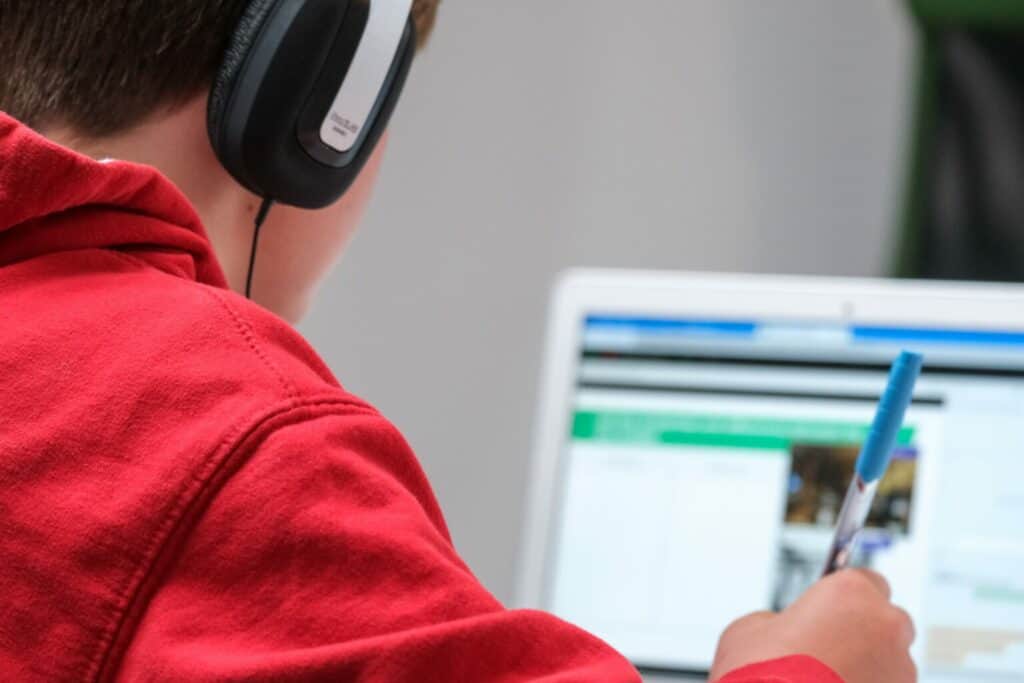
  • In classEach student takes their numbered tablet and a headset, then opens the “Today” folder: files numbered by lesson (recorded dictation, correction, activity, written summary) to work through at their own pace.
  • MonitoringWizzbe’s “Supervision” tab, marking exercises, notifications… and walking round the classroom.
Read the testimonial (FR)
A student working on a computer with headphones during a lesson

Benefits noted

  • Students highly engaged in their learning
  • Silence reigns without the teacher having to ask for it
  • Everyone progresses at their own pace, without outside pressure

Points to watch

  • Some students missed having the teacher more hands-on
  • The teacher is in high demand (technical questions, forgotten login codes)
Year 10Geography

France’s overseas territories

Using digital documents, students build a mind map (economy, society, environment), then make a short video with an app shared by the teacher.

  • 45 min
  • 1 tablet per student
Read the sheet (FR)
Year 8Cross-curricular project

Water, a resource to share

In groups, students study the issue of water in a given country, produce a slideshow and present it to the class; the presentation is filmed. Students enjoy explaining ideas to their classmates and watching themselves back on video.

  • approx. 1 h
  • 1 tablet per group
Read the sheet (FR)
Years 2–4At home

A calabash for a water drum

To prepare for a classroom workshop, students take their tablet home and photograph a calabash at home or among family and friends, then send the photo to the teacher.

  • Tablets taken home
  • 1 tablet per student
Read the sheet (FR)

For teachers: the “Wizzbox”

In a secondary school equipped with Wizzbe, tablets and user guides are made available in a locker in the staffroom, so everyone can practise outside lessons. All it takes is a spare locker, a few tablets and a combination padlock.

Read the sheet (FR)
In summary

Six benefits that come up sheet after sheet

From nursery to secondary school, whatever the subject, the same strengths are mentioned in the use-case sheets.

  • Ready in minutes

    Uploading an image or document to the Media Library is often all it takes to create the exercise.

    Goya, relief of France, apples, “ch” sound…
  • The right to make mistakes

    Rub out, erase, start again: students correct their work before sending it, with no crossings-out and no one watching.

    Passé composé, proportionality, instruments…
  • Speaking without pressure

    Everyone records themselves, listens back and practises without being heard by their classmates, including the shyest.

    English, Spanish, Year 1…
  • Everyone at their own pace

    Rewatching a video, moving through a sequence or exploring a topic further without waiting for others.

    Digital independence, Verdun, GeoGebra…
  • Controlled browsing

    Shared via Wizzbe, videos and online exercises open without students being able to wander off elsewhere.

    Gaul, water, electrical circuits…
  • Handed in with one click

    Work goes straight to the teacher’s space for quick marking and feedback.

    Active and passive voice, agreement, quizzes…
Over to you

What if the next use case were yours?

Find out how to get started with Wizzbe in your school, or contact the team to build your project.