

The distribution solution for digital resources in education
The Wizzbe Media Library distributes digital resources in education between teachers and students: it saves time, speeds up digital adoption in schools and makes work easier for every user, on every device.
EdTechDesigned and developed in France by LogoSapience
A solution for everyone in the digital school
From classrooms to local authority IT departments, Wizzbe supports your e‑education projects.
Schools
Boost access to digital resources on every device and for every user.
Benefits for schools
Local authorities & IT departments
Wizzbe helps you develop the use of digital technology in schools.
Wizzbe support

Primary schools
Security and simplicitySimple digital practices based on multimedia resources and apps.
Middle schools
A scalable solutionFrom the first mobile classroom to all of the school’s equipment.
High schools
All devices & BYODInstant access to digital textbooks and other multimedia resources.
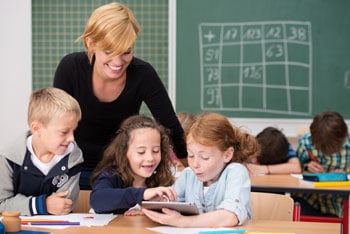


What is it for?
Saving time, speeding up digital adoption in schools… and above all, making users’ work easier!
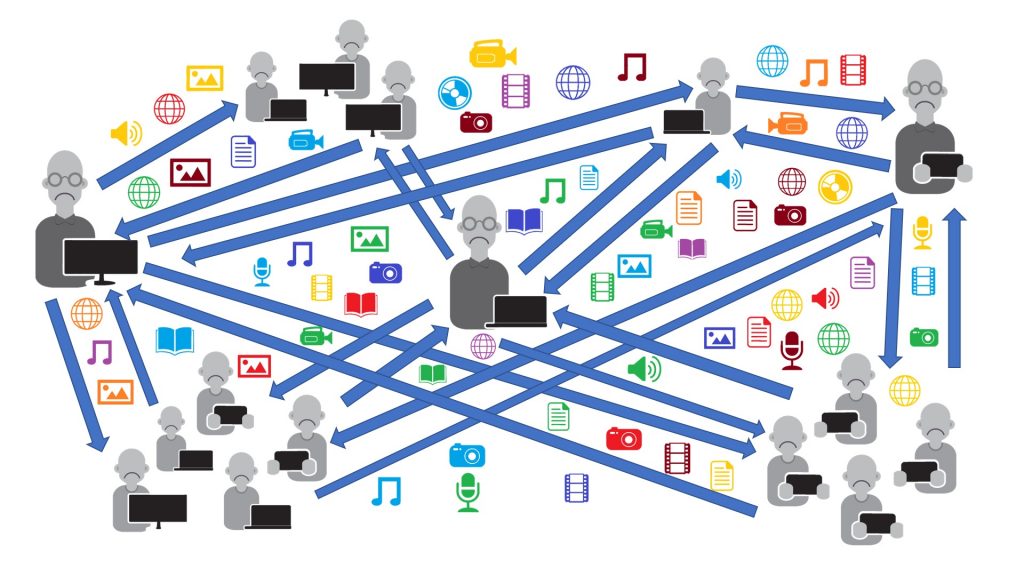
Files exchanged one by one
Users handle digital files one at a time. Exchanges happen by sending messages or by copying files manually into folders or drives…
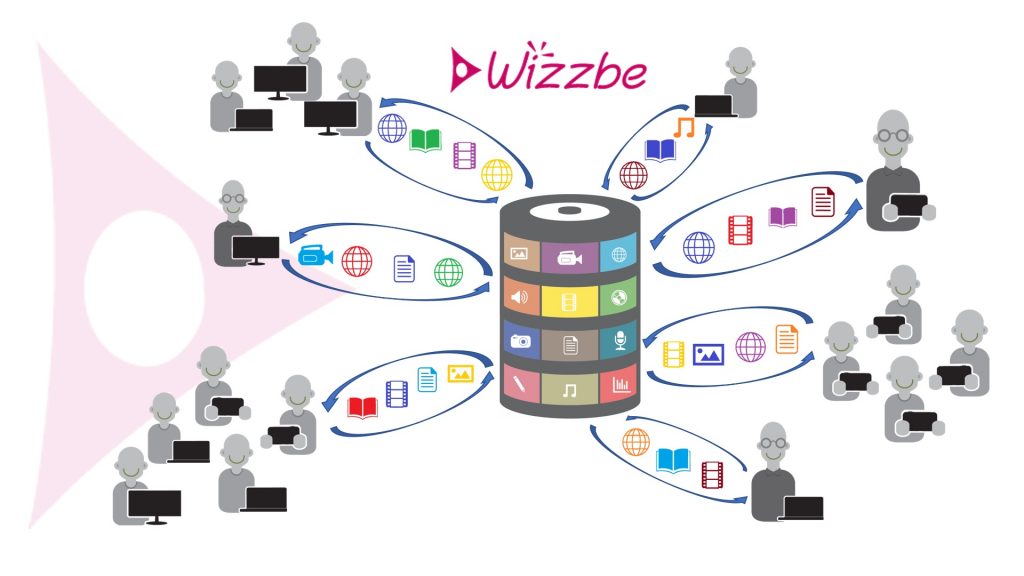
Exchanges are automatic!
Wizzbe’s innovative architecture ensures smooth document exchanges (texts, videos, photos, audio recordings…) between teachers and students during lessons.
Digital resources in education, simple to distribute
Distributing, sharing and protecting teaching resources becomes simple, fast and seamless for the whole school community.
Save time
Teachers need only a few seconds to create or schedule the distribution of digital resources: lessons, video, audio…
Differentiated teaching
Resources can be distributed to a class or a group of students. They can also be sent to an individual student.
Multimedia without network slowdowns
Completely smooth use of multimedia resources, whatever the number of connected students.
Copyright protection
Distributed content is secured and cannot be copied without permission.
Everywhere, on every device
Compatible with all of the school’s equipment: tablets, laptops, desktop computers…
Works offline
Textbooks, apps, media, exercises and student files remain available, even when the internet or Wi‑Fi is down.
The Wizzbe Media Library multiplies the possibilities of your internet connection
Two groups of 30 students can interact dynamically with the same video during a lesson, even in a school without a fibre connection.
Learn moreThere is always a Wizzbe Media Library to match your project
Wizzbe fits into every digital school project.
- 01
The digital classroom
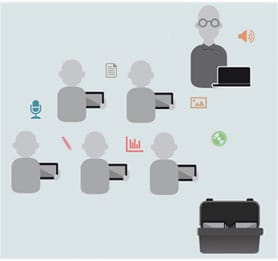
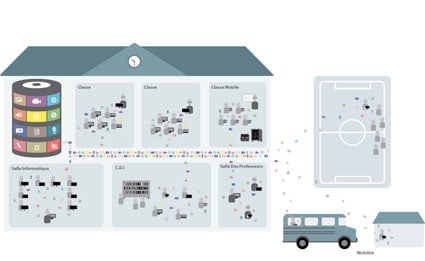
Mobile case or trolleyThe Media Library is installed at the level of the mobile classroom: teachers and students work in the classroom.
Several mobile classrooms? Digital resources can be shared. - 02
The digital school
School-wide Media LibraryThe Media Library is installed at school level: everyone works throughout the school.
All resources are distributed to every device, for every user. - 03
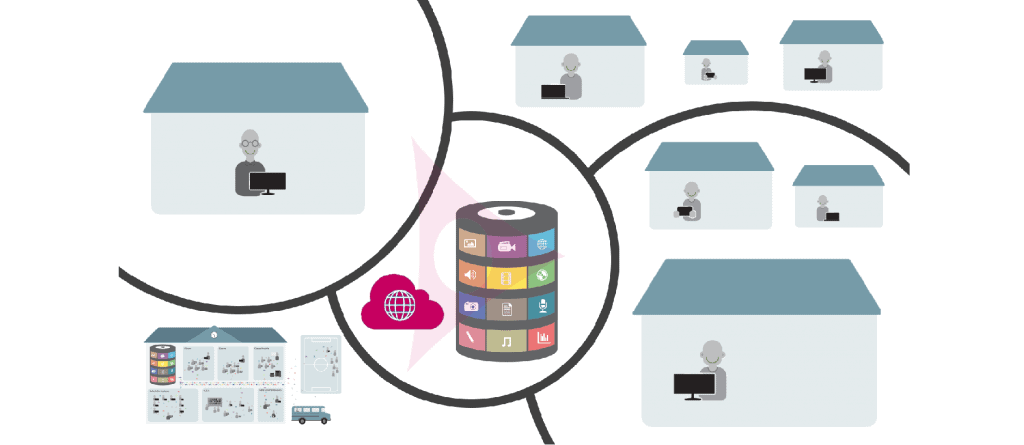
The Wizzbe cloud
Private or shared Media LibraryThe Media Library is in the cloud: teachers and students work at school and from home.
A private Media Library, or one shared between several teachers. - 04
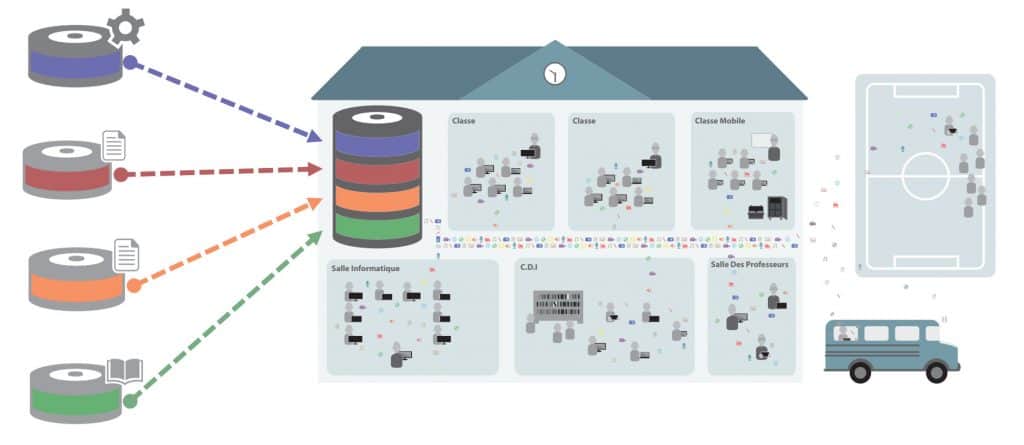
The connected school
School-wide Media LibraryThe Media Library subscribes to external resources, which teachers and students work with.
Once resources are synchronised, the school saves bandwidth.
More than a technical solution, a project methodology
Wizzbe supports your e‑education projects with a detailed methodology, proven in many schools and implemented in several departments, regions and large metropolitan areas.
- Before
Project owner assistance
Audits, studies, steering and planning of all or part of your project, following best practice.
- During
Technical assistance for project delivery
Remote support to analyse, resolve and capitalise on field feedback, with lasting and replicable solutions.
- After
Developing digital practices
On site or remotely: configuration, technical interventions, training, usage workshops…
What they say about Wizzbe
Wizzbe lets me offer my Year 5 pupils simple activities such as “filming themselves reciting a poem” or answering questions in writing. I receive their work immediately, sorted by date, by class or even by name. It’s very simple for them too: the resources are in their space and one click is all it takes to send me their work.
I use tablets very regularly in class with my Year 10 students. Recently, I gave them an exercise that involves describing an image orally. What’s interesting is that each student works at their own pace and sends me their work when it’s ready. And if they haven’t finished, they can carry on using a computer in the school library or during the next lesson.

Wizzbe is developed in France by LogoSapience
LogoSapience has been an EdTech publisher since 1999. Every day, the Wizzbe team creates new features to meet the needs of teachers in primary, middle and high schools.
LogoSapience solutions develop digital practices by making data exchanges between users easier. Wizzbe is the result of many years of work in cooperation with numerous schools.
- EdTech publisher since 1999
- Designed and developed in France
- Co-designed with schools
Wizzbe and digital resources in education: your questions
Answers to the questions most often asked by teachers, school leaders and local authorities.
What is Wizzbe?
Wizzbe is a digital media library for education, designed and developed in France by LogoSapience, an EdTech publisher since 1999. It automatically distributes digital resources (lessons, textbooks, videos, audio recordings, exercises…) between teachers and students, on every device in the school.
Who is the Wizzbe Media Library for?
Primary, middle and high schools, as well as local authorities (municipalities, departments, regions) and their IT departments, which equip schools.
How does Wizzbe make it easier to share digital resources in the classroom?
Without Wizzbe, files are exchanged one by one, by message or by manual copying into folders or drives. With Wizzbe, teachers create or schedule a distribution in a few seconds, for a class, a group or a single student, and exchanges with students become automatic.
Does Wizzbe work without an internet connection?
Yes. Textbooks, apps, media, exercises and student files remain available even when the internet or Wi‑Fi is down. The Media Library also optimises bandwidth: two groups of 30 students can work on the same video at the same time, even in a school without a fibre connection.
Which devices does Wizzbe work on?
On all of the school’s equipment: tablets, laptops and desktop computers, including students’ own devices (BYOD) in high schools.
How does Wizzbe protect copyright?
Content distributed by the Wizzbe Media Library is secured and cannot be copied without permission.
Which Wizzbe Media Library set-ups are available?
Four set-ups fit every digital school project: the digital classroom (mobile case or trolley), the digital school (school-wide Media Library), the Wizzbe cloud (private or shared Media Library, also accessible from home) and the connected school (Media Library subscribed to external resources).
How does a Wizzbe project work?
Since 2015, Wizzbe has applied a proven project methodology in three stages: project owner assistance before deployment, technical assistance for project delivery during it, and the development of digital practices (configuration, training, workshops) afterwards.
Join the Wizzbe community
Technical and usage tutorials, advice on setting up the digital school, answers to the most frequently asked questions: it’s all on the Wizzbe User Portal.